
3 Best CRMs for Property Agencies
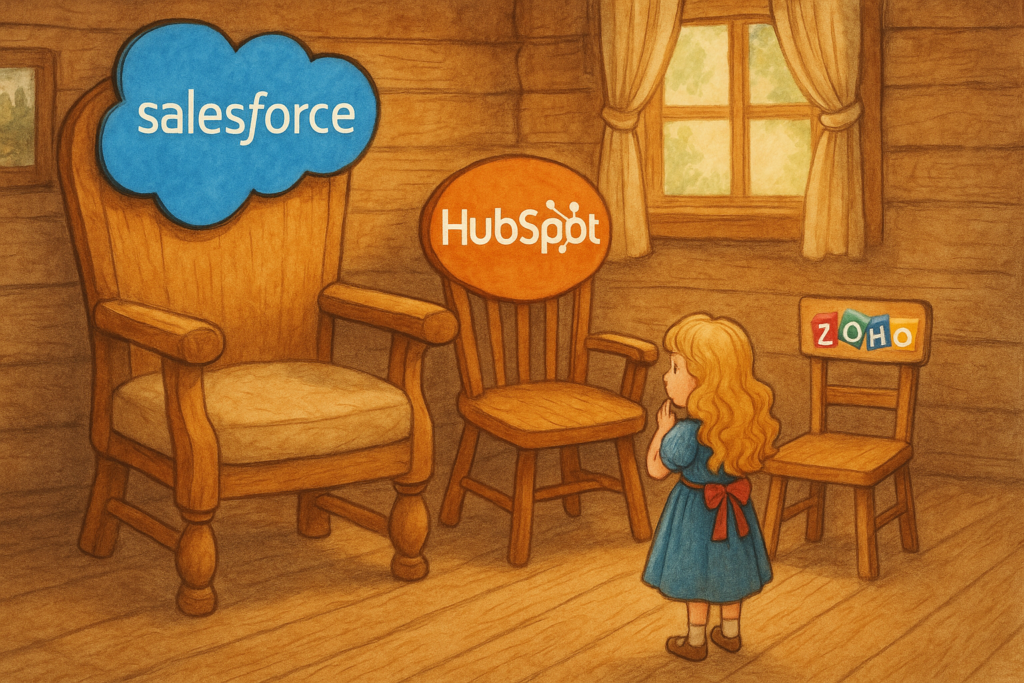
When browsing for real estate tools, property agencies search for the best CRM software money can buy, and hope to DIY the implementation on their own.
Big mistake!
For example, Customer Relationship Management isn’t just software. It’s about onboarding, automation, integration, and actual support that helps real estate agents close more deals and track sales.
In other words, the focus is on CRM services that help your real estate business grow.
Put it this way: would you want to use a CRM only to find out you have to spend extra money on premium customer service? 😬 (I bet not!)
So in this article, we’ll explore the best CRM for property agencies so you can create stable footing and focus on what you do best: selling property.
Oh, and by the way, this article is chock full of research that should give you 100% confidence in your choice of CRM. But if you’re still unsure about the best real estate CRM software after reading, there’s a gift waiting for you at the end.
(It’s a free real estate CRM comparison toolkit!)
Table of Contents
Dictionary
CRM – Customer Relationship Management
A CRM is software that helps agencies manage customer details, track leads, follow up on sales, and stay organised.
A CRM is software that helps agencies manage customer details, track leads, follow up on sales, and stay organised.
Salesforce: A Powerhouse CRM for Property Agencies
Salesforce is the powerhouse of real estate CRM platforms, and is considered the industry leader.
For that reason, it’s easy to argue it’s the best CRM for property agencies.
(I said it’s easy to argue, not that it’s true!)
Let’s explore:
You get an expansive feature set, virtually limitless CRM customisation, and sleek dashboards. Real estate brokerages use these features to manage everything from contacts to complex transaction workflows.
Onboarding & Ease of Use: Salesforce is a complex web of data (sometimes it feels likes you need a uni degree just to understand it). So it’s no surprise many companies use Trailhead courses and consulting partners for the onboarding.
Automation & Integration: As part of Salesforce’s CRM services, you get enterprise-grade automation tools.
You can use Process Builder and Flow features (part of Salesforce’s Lightning platform) to automate your workflow (like sending follow-up emails to updating deal stages).
And through the AppExchange marketplace, you can connect hundreds of third-party apps and real estate-specific tools into your CRM.
For example, integrations are available for MLS property databases, email marketing, e-signature platforms, and so on.
This is a powerful tech stack for a real estate business – it keeps your competitors on their toes.
Support & Consultation: This is where Salesforce’s CRM services loses its more personal touch.
Enterprise customers get dedicated support representatives, while smaller customers rely on standard support tickets and community forums.
In practice, real estate companies work with third-party Salesforce consultants to customise the CRM to their needs and provide training.
Real Estate Applications: Salesforce is used by large brokerages and real estate enterprises that need a scalable solution.
It can handle thousands of contacts and properties, track multi-step escrow processes, and enforce consistent workflows across a big team.
Its advanced analytics (including AI-powered forecasting with Salesforce Einstein) identify sales trends and high-value clients, supporting business growth.
For example, a brokerage could use Salesforce to analyse which marketing channels yield the most closed deals or to automate agent assignment for new leads.
However, for individual agents or small teams, Salesforce’s CRM services is an overkill.
It’s neither a cheap CRM, nor an easy-to-use one. But it is definitely the most popular:
Over 87% of top-earning property agencies use a CRM to manage transactions, listings, and clients (CRM Masters). And while we don’t know the specifics, we’re willing to bet Salesforce is a huge chunk of that percentage.
Regardless, let’s explore some better options because being the biggest CRM for property agencies doesn’t mean you’re always the best choice.
HubSpot: Best CRM for Marketing Property Agencies
HubSpot is a hot contender as the best CRM for property agencies. It has high end sales tracking (just like Salesforce) while making it very accessible for smaller property agencies.
HubSpot’s biggest strength comes from its inbound marketing, which might not be an ideal fit if you’re just looking to track sales, but great for real estate networking and building an online presence.
Let there be no doubt about it: This CRM understands that sales and marketing are the pillars of any powerful real estate CRM software.
In fact, Avison Young increased CRM adoption from 23% to 90% among its 1,600 brokers after implementing HubSpot CRM (HubSpot).
Onboarding & Ease of Use: Getting started with HubSpot CRM is easy peasy.
You can start adding contracts on Day 1 with lots of guidance from HubSpot Academy.
The overall learning curve is gentle compared to Salesforce – perfect if you’re more of a real estate agent than tech expert (which we’re willing to bet that you are)
Automation & Integration: HubSpot’s biggest strength is marketing.
You can set up automated email sequences, schedule social media posts, and create drip campaigns to stay in touch with leads.
For instance, you can configure HubSpot to automatically send a welcome email to new website leads or a series of follow-up emails about neighborhood market trends.
While HubSpot’s free CRM has basic automation, the paid Marketing Hub and Sales Hub add more advanced workflows (like branching logic based on contact behaviour).
Integration support is broad: HubSpot connects natively with Gmail/Outlook, calendars, lead capture forms, and many other apps via its Marketplace.
You could integrate HubSpot with a lead generation site or a webinar tool for home-buyer seminars, so all new leads funnel into the CRM.
Not bad, am I right?
Support & Consultation: Free users will need to Google their problems.
Paid subscribers (Starter and above) get email and in-app chat support.
Professional/Enterprise users have phone support.
The quality of customer support is generally high – HubSpot is known for quick, helpful responses and a large library of support articles.
CRM Dashboard & Customisation: Agents can track their sales funnel at a glance with HubSpot.
You can see how many deals are in each stage (e.g., new inquiry, showing scheduled, offer made, closed) and the total value of deals in progress.
Then, you can filter by agent, deal type, timeframe, etc., which is wicked for a property agency monitoring team performance.
However, HubSpot’s CRM customisation is a bit limited.
Yes, you can add custom properties (fields) but very advanced custom record types or processes don’t tend to be supported.
Still, HubSpot covers the basics well: you customise contact categories (buyer, seller, past client, etc.), track specific property preferences as fields, and set up custom task reminders.
The interface remains clean and not overly cluttered – a trade-off for having fewer ultra-deep customisations.
Real Estate Use Cases: Beyond your bog standard marketing, HubSpot supports real estate networking by integrating email and phone call logging.
It’s brilliant if you want to keep everything recorded so you can keep communication updated.
Zoho: The Best CRM for Property Agencies

Instantly, what makes Zoho stand out as the best CRM for property agencies is that it offers a rich set of real estate tools (comparable to what Salesforce or HubSpot provide) at a more accessible price.
Hence, it’s a cheap CRM, but you still get premium service; and therefore it has a reputation for being an underdog.
As a property agency, you can move beyond core CRM functions, and leverage Zoho’s other tools (like Zoho Campaigns for newsletters, Zoho Bookings for scheduling property viewings, etc.) in a unified way. But that’s an article for another time.
Onboarding & Ease of Use: Zoho CRM offers a clean, modern interface.
When you first login, a setup wizard helps you configure basic settings (like adding your company info, defining sales stages, etc.).
You can use Zoho’s pre-built modules (Leads, Contacts, Deals, etc.) right away, and as they become more comfortable, you can start customising the system.
Zoho also competes equally with HubSpot on tutorial videos, which are helpful if you’re just starting out.
However, one noted drawback is that Zoho’s customer support, while available, won’t hand-hold users through every step.
This is mainly because Zoho recommends its CRM consulting partners. CRM consultancies like Caldere (that’s us) offer affordable guidance on all things CRM, like setup, training, or migration.
So if a property agency doesn’t have a tech-savvy person on staff, investing in a few hours of a Zoho consultant’s time ensures the CRM is set up optimally (for example, customising fields for property details or integrating your MLS leads).
The need for this depends on how much customisation you require; plenty of property agencies use Zoho CRM effectively out-of-the-box with minimal assistance.
Once set up, day-to-day usage is smooth — the interface is not as flashy as HubSpot’s, but it is functional and logically organised, with tabs for different functions (Marketing, Inventory, etc., which can be toggled off if not needed in a real estate context).
Automation & Integration: Automation is a strong suit for Zoho CRM.
The system allows you to create workflow rules and blueprints (process maps) that automate sales and marketing tasks.
For instance, a realtor can set a rule: when a new lead is added with the source “Website Contact Form,” automatically assign it to an agent, create a follow-up task, and send a personalised welcome email – all without manual intervention.
Zoho’s Blueprint feature is useful for real estate transactions as it enforces a sequence of stages and required actions (e.g., you cannot move a deal to “Closed” until a checklist of tasks – inspection, appraisal, etc. – are marked complete).
In terms of integration, Zoho CRM offers native integration with an array of third-party apps: you can connect your Outlook or Gmail for email syncing, integrate with Google Calendar, and hook up with popular real estate websites via Zapier or custom APIs.
It also has built-in integrations with social media platforms, allowing agents to capture leads from Facebook or Twitter if they run campaigns there.
An advantage of Zoho is the tight integration with its own suite: if you use Zoho Campaigns (email marketing), Zoho Social (social media management), or Zoho Projects, the CRM ties into these, providing a unified data environment.
Another noteworthy aspect is Zoho’s lead in AI.
Unlike Salesforce (which is having challenges modernising its AI), Zoho has an AI assistant called Zia that analyzes your CRM data to predict which leads are most likely to convert.
It suggests the best time to contact a lead, and even automate tasks via voice commands.
Support & Consultation: Zoho provides multiple support channels: a ticket system, email support, phone support (in certain plans), and an extensive online help center.
But Zoho doesn’t proactively guide you through optimising your CRM – which is understandable given the lower price point.
For more complex needs, we recommend hiring a CRM expert or if budgeting is a challenge, CRM consultation services can be an affordable alternative.
CRM Dashboard & Customisation: Customisation is one of Zoho’s crown jewels, and it’s the reason why a lot of property agencies use it.
Property agencies have unique needs, which encourages them to buy higher-end real estate CRM platforms like Salesforce and HubSpot.
But Zoho offers these exact real estate tools– custom modules, custom page layouts, CRM dashboard, reporting tools for any data point, charts, KPIs, forecasting, etc — and it’s still a cheap CRM.
(Side note: Zoho’s Canvas design lets you create a custom UI for the CRM modules. I kid you not, you can make the screens look like your own forms or re-arrange how information is displayed to users — which is just bloody brilliant!).
Real Estate Use Cases: Agents can manage their entire sales funnel from lead to closing in Zoho.
A typical use case would be capturing a lead (perhaps via a web form on your real estate site or a Facebook ad) directly into Zoho CRM.
The system auto-populates the lead’s info, sends a custom thank-you email immediately, and assigns the lead to an agent based on predefined rules.
As the agent works the lead, every call or email can be logged (Zoho can integrate with telephony systems or just via the mobile app to log calls).
All interactions are in one place, which strengthens your real estate networking because you have a full history of communication and can build a relationship with personalised touches.
Closing deals is aided by Zoho’s analytics and AI: agents can use Zoho to forecast which deals are likely to close in a quarter and focus on those, or use Zia’s suggestions to revive stagnant deals.
Final thoughts on Zoho: Many brokerages appreciate that Zoho CRM can scale with them.
In fact, Zoho CRM users have reported a 300% improvement in lead conversion rates and a 41% increase in revenue per salesperson (Zoho).
It’s the best CRM for property agencies by far.
But, as the saying goes, the proof is in the pudding…
Free Real Estate CRM Platform Comparison Checklist
Full disclaimer: Several years ago, we became proud Zoho partners. We believe it is a cheap CRM that has all the benefits of the big-budget kings, HubSpot and Salesforce — and therefore, is the best CRM for property agencies.
But we also know the bites and bruises from implementing ANY CRM into your growing property agency. In my opinion, your mind should be free from all the techy obstacles. You should know exactly which CRM fits your unique business needs.
So if you’re still unsure which way to go, we’re giving away a free real estate CRM comparison checklist. This checklist provides clarity on which real estate CRM software is the best for property agencies.
If this sounds like a plan, message down below the word “CRM” and we’ll send you this free checklist, no strings attached.
FAQ
What CRM do top realtors use?
Top realtors use a mix: Salesforce, HubSpot, and increasingly Zoho. Zoho stands out for offering full-featured tools like automation, mobile access, and lead scoring, without the bloated price tag.
Who is the no. 1 CRM provider?
While Salesforce dominates by size, Zoho is the best value-for-money. It’s trusted by 250,000+ businesses and includes sales, marketing, and analytics in one affordable platform.
Which is the best CRM company?
For enterprise, people say Salesforce. For normal businesses, Zoho wins. It’s customisable, budget-friendly, and doesn’t nickel-and-dime you for basic features.
What CRM do estate agents use?
UK estate agents often rely on specialist software, but Zoho CRM is gaining traction for its flexibility, automation, and integrations, without the usual overpriced subscriptions.
Which CRM does Keller Williams use?
Keller Williams uses Command, their in-house CRM. But independent agents often prefer Zoho. It’s less clunky, more customisable, and doesn’t tie them to one brokerage system.
Top realtors use a mix: Salesforce, HubSpot, and increasingly Zoho. Zoho stands out for offering full-featured tools like automation, mobile access, and lead scoring, without the bloated price tag.
While Salesforce dominates by size, Zoho is the best value-for-money. It’s trusted by 250,000+ businesses and includes sales, marketing, and analytics in one affordable platform.
For enterprise, people say Salesforce. For normal businesses, Zoho wins. It’s customisable, budget-friendly, and doesn’t nickel-and-dime you for basic features.
UK estate agents often rely on specialist software, but Zoho CRM is gaining traction for its flexibility, automation, and integrations, without the usual overpriced subscriptions.
Keller Williams uses Command, their in-house CRM. But independent agents often prefer Zoho. It’s less clunky, more customisable, and doesn’t tie them to one brokerage system.