
The 3 Best CRM for Your Cleaning Business
My mum’s late friend owned a cleaning business, and she used to scribble notes on her arm if a client had a request. It’d be basic things like “client requests lemon-scented stuff” or “we have allergies, no bleach”
But those little requests would mount up quickly, and well, gone are those days when you did everything by hand (or by arm).
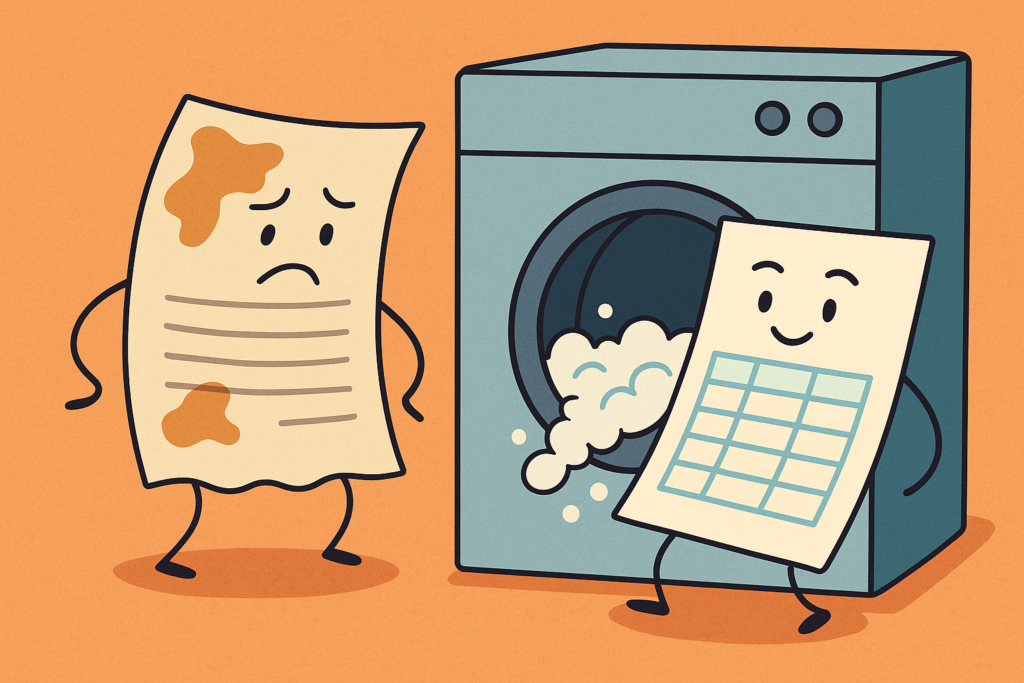
Nowadays, cleaning businesses are using Customer Relationship Management (CRM), which is a much better upgrade than an Excel spreadsheet.
But to answer the question, if you’re looking for the best CRM for cleaning businesses, it’s the one that organises your operations, without feeling like you need a degree in computer science; AND while making you a tidy sum.
(By the way, did you know companies that implement a CRM see an average 29% increase in sales?)
With that said, let’s dive in and get you the answers you need.
Here are the 3 best CRMs for your cleaning business:
Table of Contents
Dictionary
CRM – Customer Relationship Management
A tool that helps businesses keep track of their clients, communications, appointments, and sales — all in one place.
SaaS – Software as a Service
Apps or software you access online (like Zoho or Google Docs), instead of installing on your computer.
SMS – Short Message Service
Just the technical name for a standard text message you send to a phone.
A tool that helps businesses keep track of their clients, communications, appointments, and sales — all in one place.
Apps or software you access online (like Zoho or Google Docs), instead of installing on your computer.
Just the technical name for a standard text message you send to a phone.
Zoho: Best CRM for Growing Your Cleaning Business
In my experience, Zoho CRM is hands-down the best CRM for cleaning businesses who want an all-in-one solution.
I don’t say that lightly. As a consultant, I’ve evaluated many cleaning business CRM software options; sometimes generic platforms, other times niche cleaning scheduling tools.
Time and again, Zoho CRM proves to be the most flexible and powerful choice for cleaning services.
Here’s why:
All-in-One Ecosystem
Zoho CRM is part of a larger Zoho suite, which means it can tie into other tools you might need like cleaning company scheduling needs, client data, or invoicing.
Customisation for Your Workflow
Every cleaning business has its unique way of doing things – maybe you categorise clients by residential vs. commercial, or you have a custom checklist for each cleaning job.
This CRM shines here because it’s highly customisable, with not much Zoho training required. You can create custom fields (e.g., “Frequency: weekly/biweekly”, “Building alarm code”, etc.), custom modules, and even automated rules specific to your process.
I helped a janitorial company get set up with some Zoho training, and we customised a module to automate cleaning jobs scheduling.
It would automatically create a follow-up task for the account manager 1 day after a cleaning. That way, they could call and ensure everything went well.
This kind of tailored automation is hard to do in many out-of-the-box systems, but Zoho is a brilliant example of how to do this i.e. transform your company into an automated cleaning service – without giving you a headache.
Powerful Automation & Reminders
Zoho CRM’s workflow rules are a lifesaver. You can pretty much automate any routine step, making it perfect as part of your automated cleaning service.
For example, when a new lead comes in from your website (say someone requesting a quote for cleaning), Zoho can automatically: add them as a contact, create a follow-up task for you to call them, and send them an email confirmation.
Once they become a client, you can set recurring events for their scheduled cleanings and have the system send reminder emails or SMS to the client 24 hours before each appointment.
That’s why zoho has become a top choice as an appointment scheduling software.
Automating cleaning jobs like this means you’re less likely to forget something, and you spend far less time each week manually sending reminders or checking who needs to be contacted.
Client Management & Communication
Zoho CRM excels at client management for cleaners. It centralises every client interaction. You can log calls, emails, notes, and even store documents (like contracts or cleaning checklists) under each customer’s record.
The next time Mrs. Thompson calls, you can instantly see that she’s been a customer for 2 years, prefers Monday morning visits, and that you promised her last time to use a new pet-safe floor cleaner.
That level of context makes your communication professional and personal.
Zoho even has built-in email templates and the ability to send bulk emails or SMS, which is great for sending out, say, a seasonal promotion to all your weekly house cleaning clients, or a weather delay notification to the day’s scheduled customers.
User-Friendly and Affordable
While Zoho CRM is feature-rich, it’s also user-friendly.
The interface is clean and you can usually figure things out without needing a full-time tech person.
This is important because many cleaning business owners aren’t IT experts; you need something your team can actually use daily.
Also, Zoho CRM tends to be more affordable than a lot of other big-name CRMs that aren’t designed like an appointment scheduling software.
There’s a free version for starters and reasonably priced plans, so you get enterprise-level stuff without paying through the nose.
I don’t need to tell you that cost matters, so it’s safe to say Zoho definitely wins the award for best CRM for small businesses.
Jobber: Simple CRM for Scheduling
Straight off the bat with Jobber, you get a CRM that doesn’t feel like a CRM…which is both a good thing and a bad thing. Let’s explore:
If you’re unfamiliar with CRM at all (and why businesses use them), Jobber feels like the best as it does exactly what you want it to.
Instantly, you’re given the exact modules you need to start the backend processes. Tabs like “Schedule”, “Requests”, “Jobs”, “Invoices” are immediately easy on the eyes, so you can jump straight into it and start setting up the process — no degree in I.T. necessary.
However, after a few weeks of using Jobber, alarm bells started ringing — many of the features in this CRM are severely lacking!
For one thing, the automation is basic. You can’t set up complex multi-step workflows, conditional logic (e.g. “If this client doesn’t respond in 3 days, assign follow-up to Sarah”), or sales funnels/lead scoring.
Not to mention the fact there’s zero integration with tools like Gmail, Google Calender, Quickbooks, Whatsapp etc.
Essentially, Jobber feels like a slight upgrade from using Google Suite, which is not exactly a win.
So with this criticism in mind, why is Jobber considered one of the best CRM for cleaning businesses?
Answer:
Jobber nails the day-to-day grind for cleaning businesses. It’s purpose-built and it’s stupidly easy to use. And as a result, if you’re a small cleaning business, Jobber might be a beautiful transition into improving your contact management.
It’s popular for that exact reason, and has been riding on that gravy train since 2015. By 2020, its popularity reached its peak during the pandemic.
But if you don’t care much for what’s popular, and you’re looking to save money…
> Google Calendar (scheduling)
> Sheets (client tracking)
> Docs + Gmail (quotes and follow-ups)
> Stripe or Square (invoices/payments)
HubSpot: The Best Marketing CRM for Cleaning Businesses
HubSpot has always been a unique butterfly in the CRM world, but the reason why it makes the top 3 best CRM for your cleaning business is, actually, a bit nuanced.
For starters, signing up to HubSpot feels like an online course on how to be a digital marketer. It’ll take you through all the traditional steps, like adding your contacts. But as you explore the platform more, you begin to see strange new tools like “SEO” and “Marketing Analytics” and “Buyer Intent” and even…”Podcasts”!
What does a cleaning business have to do with podcasts? Does EVERYONE need to have a podcast nowadays? 🙄
I know, I know…it doesn’t make any sense, but hear me out:
If you’re a cleaning company that just wants scheduling or automated cleaning services, you’re better off with Zoho or Jobber — save the fancy marketing tools for another day.
But learning how to use these marketing strategies like SEO and online ads is exactly how a cleaning business polishes its operations in 2025.
Digital marketing and AI gives you that competitive edge. And while platforms like Zoho does a good of this too, HubSpot really likes to label itself as the marketing guru.
(Us CRM consultants won’t challenge them on that!)
So if marketing meets cleaning company is your cup of tea, here’s a HubSpot-owned tutorial on how to get your marketing kickstarted!
Features to Look for in the Best CRM for Cleaning Businesses
Other CRMs didn’t make this list because they’re either too expensive and convoluted (like Salesforce) or they’re too similar to Jobber (like Housecall Pro).
Now, I’m sure the fellas at Jobber and HubSpot would have a few things to say about us and why we think Zoho is the best CRM for cleaning businesses.
At the end of the day, we all have a bit of bias in our blood (and that’s okay, that’s what makes us human).
That said, we want to be as helpful as we can, so here’s a general overview of what you can look for in a CRM:
☑️ Cleaning Company Scheduling: Coordinating employee routes and appointment times is one of those sneaky ways you prevent conflict with customers.
Unfortunately, customers like to throw curveballs at you once in a while, like this one Reddit user experienced, who said: “I received a text from them this evening saying ‘we would appreciate it if you start at 9am.”
Mental! But at least with a CRM (which acts as an appointment scheduling software), you’ve got a system behind your back to swap cleaners, offer calendar views, and drag-and-drop rescheduling – if ever a customer decides to quickly change the time.
☑️ Automation of Routine Tasks: The best CRM for cleaning businesses is about saving time so you don’t have to overwork yourself on your days off.
So, first things first, automate cleaning jobs. Simple stuff like sending booking confirmations, reminder notifications to clients, follow-up emails after service, and so on.
Automation isn’t just for the SaaS companies and marketing agencies! You can transform your company into an automated cleaning service just by using CRM.
☑️ Comprehensive Client Management: Robust client management for cleaners is a must.
The CRM should store detailed customer profiles, including contact info, addresses (for each job site), notes on special instructions, and a history of every interaction or cleaning job completed.
This helps you personalise your service. For example, knowing a client’s birthday to send a discount, or remembering that a certain office prefers cleaning after 6 PM.
☑️ Mobile Access for On-the-Go Updates: So here’s a plot twist! You don’t need to be at your desk for this stuff.
The best CRM for cleaning businesses will have a good mobile app or cloud access so you and your staff can check schedules, update job statuses, or look up client info from the field.
So that even when your cleaners are out on jobs, they stay connected and can update the system in real time (for example, marking a task done or adding a note about a customer’s request).
☑️ Integration & Customisation: The CRM should play nicely with other tools you use.
Cleaning business CRM software that integrates with your email, accounting software (for invoices/payments), or even your website (for new lead capture) can save a ton of manual data entry.
For example, say you integrate a CRM with an online booking form. What will happen is a new client request flows straight into your system.
Also, look for customisation options – the ability to add custom fields (like “Last service date” or “Favourite cleaning product”) and tailor the sales pipeline or stages to match how a cleaning job moves from inquiry to completion.
If you get stuck on this stuff, reach out to us at Caldere and we’ll show you how to get things set up. We’re passionate about creating CRM for small businesses.
Conclusion: Get Your Free CRM Comparison Checklist
Nearly 47% of businesses using a CRM report a huge boost in customer retention, which is good news for a cleaning company. Loyal, repeating clients are the lifeblood of your revenue.
Now, I believe Zoho CRM is the best CRM for cleaning businesses – hands down.
But to make your decision even easier, I’ve put together a Free CRM Comparison Checklist for cleaning businesses.
This handy checklist distills everything (sorry for the dad joke) we covered into an easy format so you can compare different CRM side by side.
Use it to evaluate your cleaning company scheduling, automation, pricing and support.
It’s the same checklist I use as a consultant when helping cleaning companies choose a CRM; and therefore, it’s a great way to figure out which CRM is best for small businesses.
Message down below and grab this free CRM comparison checklist now. There’s no sales guy waiting for you after you message. However, do feel free to reach out for any Zoho training or setup.
Good luck!
FAQ
What is the best CRM for small business?
Zoho CRM consistently ranks as one of the best CRMs for small businesses. It’s affordable, easy to customise, and packed with automation tools that help you stay organised without needing tech skills.
What type of cleaning business makes the most money?
Commercial cleaning services often earn more than residential ones because of the bigger contracts and recurring jobs. Specialised niches like post-construction or medical cleaning can also make you a lot of money.
Which company is best for CRM?
It depends on your business needs, but Zoho stands out for small to midsize businesses. It offers deep customisation, built-in automation, and easy integrations, all at a fraction of the price of competitors like Salesforce or HubSpot.
What is the best invoicing software for cleaning business?
Zoho Invoice is a top pick for cleaning businesses. It’s part of the Zoho ecosystem, so it works smoothly with Zoho CRM. You can send invoices, track payments, and even automate recurring billing.
Is there a free CRM for small business?
Yes! Zoho CRM offers a solid free plan for up to three users. It includes lead tracking, workflows, and email integrations — enough to get most small businesses off the ground without upfront cost. As your business grows, you can scale into affordable paid plans.
Zoho CRM consistently ranks as one of the best CRMs for small businesses. It’s affordable, easy to customise, and packed with automation tools that help you stay organised without needing tech skills.
Commercial cleaning services often earn more than residential ones because of the bigger contracts and recurring jobs. Specialised niches like post-construction or medical cleaning can also make you a lot of money.
It depends on your business needs, but Zoho stands out for small to midsize businesses. It offers deep customisation, built-in automation, and easy integrations, all at a fraction of the price of competitors like Salesforce or HubSpot.
Zoho Invoice is a top pick for cleaning businesses. It’s part of the Zoho ecosystem, so it works smoothly with Zoho CRM. You can send invoices, track payments, and even automate recurring billing.
Yes! Zoho CRM offers a solid free plan for up to three users. It includes lead tracking, workflows, and email integrations — enough to get most small businesses off the ground without upfront cost. As your business grows, you can scale into affordable paid plans.